🫂 Add & Manage Admins
Admins control the entire collony setup process – from inviting the bot to your community, to configuring the dashboard, setting rules, and adding new team members. Here’s how to assign them:
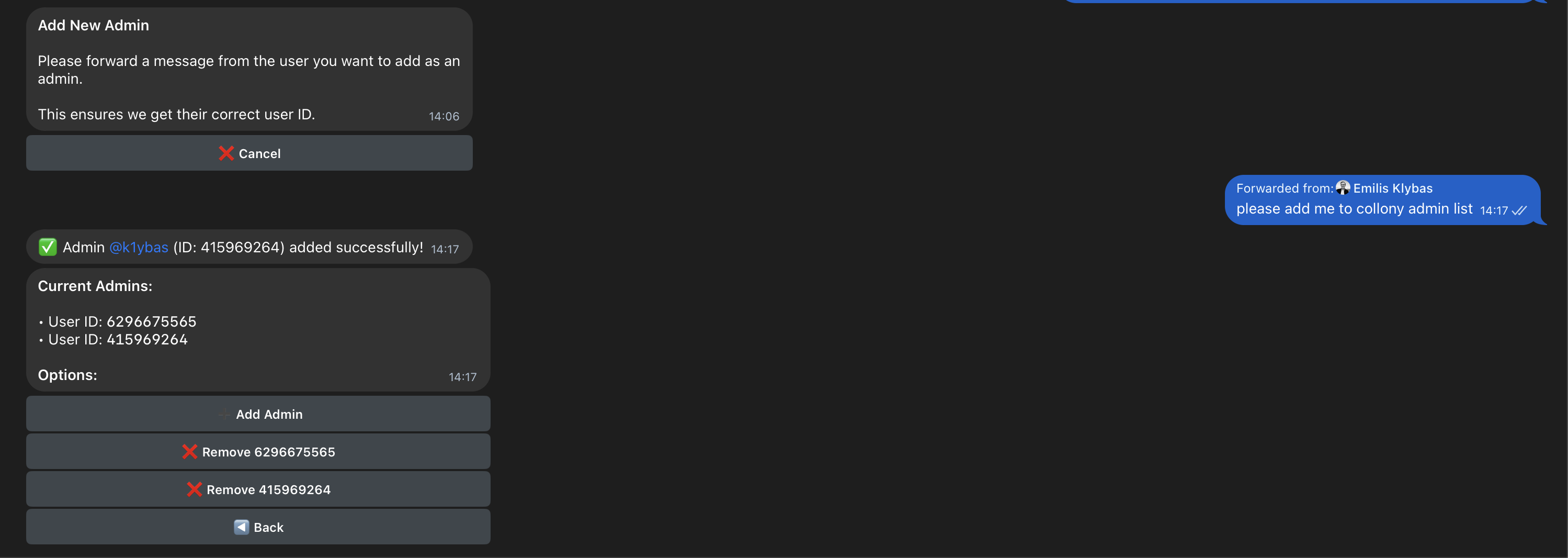
- Click on Manage Admin.
- Forward a message from the user. Open a private Telegram chat with the person you want to add, then forward any of their messages to collony. This ensures collony captures their correct Telegram user ID.
- Once forwarded, the user will automatically be added to your admin list.
Tip: Admins can be added or removed anytime, but all have equal rights – even the one who added collony can be removed. To avoid issues, keep the admin list small and limited to trusted team members.

